
Football Fusion 3 Controls
Confirm binds in Settings. Patches remap. Do not guess mid-drive.
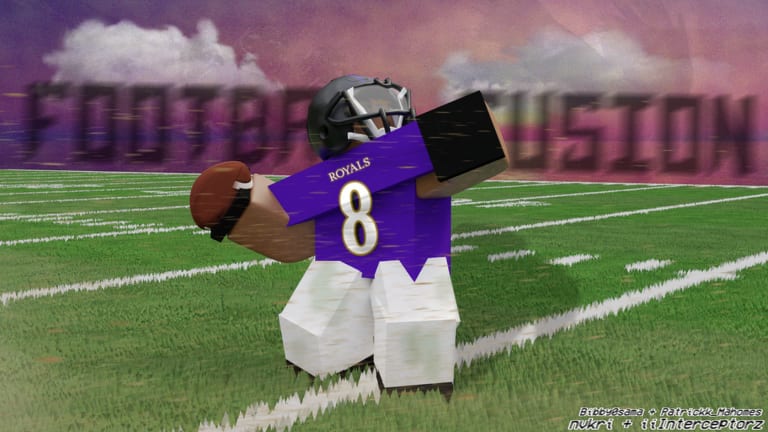
Football Fusion 3 is a timing game wearing a football skin. The difference between a dime and a pick is often one wrong key held a beat too long. This page is the bind list you should memorize and the reminder to verify it in-game, because XSTNS GAMES can remap actions between updates. Open the gear → View Controls List before a competitive match. If a clip you watched in 2025 disagrees with the list on your screen, trust the list.
These are the core PC and Xbox inputs as of the current public build. Mobile users should treat this as a map of actions, then switch to the mobile guide for thumbs and the kick meter.
Core actions
| Action | PC | Xbox |
|---|---|---|
| Pass / throw | Left Click | RT |
| Catch | Left Click or C | RT |
| Dive / tackle | E | X |
| Block (no ball) | X | LT |
| Handoff (QB with the ball) | X | LT |
| Hitstick | R | RB |
Hitstick requires the Big Hitter game pass (390 Robux). Pressing R or RB without the pass does nothing useful and can still take you out of a break-down tackle. Details sit on game passes and the pass tier list.
The same physical key doing two jobs is the trap. X / LT is block when you do not have the ball and handoff when you are the quarterback holding it. New QBs panic-press X to “protect” and pitch the ball into a defensive tackle. If you are not intending a handoff, do not tap that bind.
Catch has two PC options — Left Click and C — because throw and catch share a mouse button. If you click early as a receiver you miss. If you click late as a QB you throw into coverage. Practice the window on the practice field (Settings → Teleport to Practice) until the click is a habit, not a guess. How to catch and how to throw exist because the bind is easy and the timing is not.
Actions the list also shows
The full in-game menu includes Swat, Pump Fake, Power, Kneel, and Fair Catch. Their exact keys have moved across Football Fusion versions. This wiki will not invent a bind that the live list might contradict tomorrow. Open View Controls List, screenshot it, and keep that screenshot until you can hit swat without looking.
Pump-fake is the QB+ (200 Robux) toy. It does not add throw power. It adds a fake and power-wheel customization. If you do not own QB+, do not stand in the pocket tapping random keys hoping for a fake — you will spike or hand off. Power itself is the wheel (~1–95 in steps of five). Learn what each step does on the power chart rather than rolling the wheel like a slot.
Kneel and fair catch are clock and return tools. Use kneel when you are winning and the defense cannot be allowed a strip. Use fair catch when fielding a kick in traffic is greed, not courage.
Camera, movement, and why first person loses games
Third person is the camera that lets you see the rusher off the edge, the safety rotating, and the sideline. First person feels cinematic and hides the defensive tackle who is about to swat your 70-power out. If you insist on first person, do it in practice, not on 3rd and 8.
Mouse users turn faster than controller users. That is not a skill issue; it is stick acceleration. On controller, set your feet and camera before the throw. Do not start a 95-power ball while still rotating. The extra frame of turn is how deep outs sail. The throw tutorial covers this in motion.
Shift lock matters for receivers who angle. Angling is not a default-character trick. You need the Customization pass (Custom Uniform, 290 Robux), graphics 2, and 35 or 60 fps, then the shift-unshift jump dive described in how to angle. If you have not bought customization, spend your reps on normal jump-clicks instead of blaming the bind list.
Sprint, juke, and dive are movement, not magic. Dive (E / Xbox X) is how you finish a tackle and how you lay out for a low ball. Spamming dive from ten yards away is how you miss and watch a back cut inside. Defense explains when to stay in a break-down tackle versus when to spend Hitstick.
Device-specific notes
PC: Left Click does throw and catch depending on whether you have the ball or the ball is arriving. That is the number-one misclick. If you keep throwing when you meant to catch, you clicked while you still had possession — or you never had it and the client thought you did. Recenter, then click in the window.
Xbox: RT is throw and catch. LT is block and handoff. X is dive/tackle. RB is Hitstick. The symmetry is clean until you play with people who also use those triggers for Roblox menu habits. Rebind in Roblox only if the in-game list still matches after you do it. If it does not, revert.
Mobile: There is no honest way to paste this table onto a touch HUD. Use mobile. Kicking on mobile is orange-to-orange on the meter, not the PC arrow game.
Practice binds until they are boring
Teleport to Practice from Settings. Cycle this loop:
- Ten throws at three powers without moving your feet after you plant.
- Ten catch windows, jump then click, torso on the ball.
- Five dive tackles on a bot, then five stands-up wraps so you remember you do not have to leave your feet.
- Five extra-point kicks. Kicking binds are on the kick guide.
New players from Getting Started should finish that loop before they queue. Returning Football Fusion 2 players should still open the list — Hitstick on R is not the old power-up key. If you tap R to add power you will Hitstick the air, or do nothing, and the rusher will eat you.
When a patch ships, re-open the list. Updates and patch notes will not always reprint every bind. Discord arguments are worse than the gear menu. The links hub has the official play URL if you need to rejoin a fresh server after a controls change.
If a bind feels wrong mid-drive, you did not check the list before the snap. That is on you, not on the quarterback who asked you to run a slant.
Frequently Asked Questions
Quick answers to the most common Football Fusion 3 questions.
Where do I see the live bind list?
Settings gear → View Controls List. Confirm it every patch. Then keep practicing with the practice page.
What button throws the ball?
Left Click on PC, RT on Xbox. Aim and power are manual — see how to throw.
Why does X sometimes hand the ball off?
X / LT is block without the ball and handoff when you are QB holding it. Read the table above and the quarterback page.
How do I Hitstick?
R on PC or RB on Xbox, and you must own Big Hitter. When to use it is on defense and game passes.
Are mobile controls the same?
The actions are the same. The HUD is not. Use the mobile guide instead of forcing this table onto a phone.